
Reviewing Popular Instagram Automation Tools + Performance Comparison
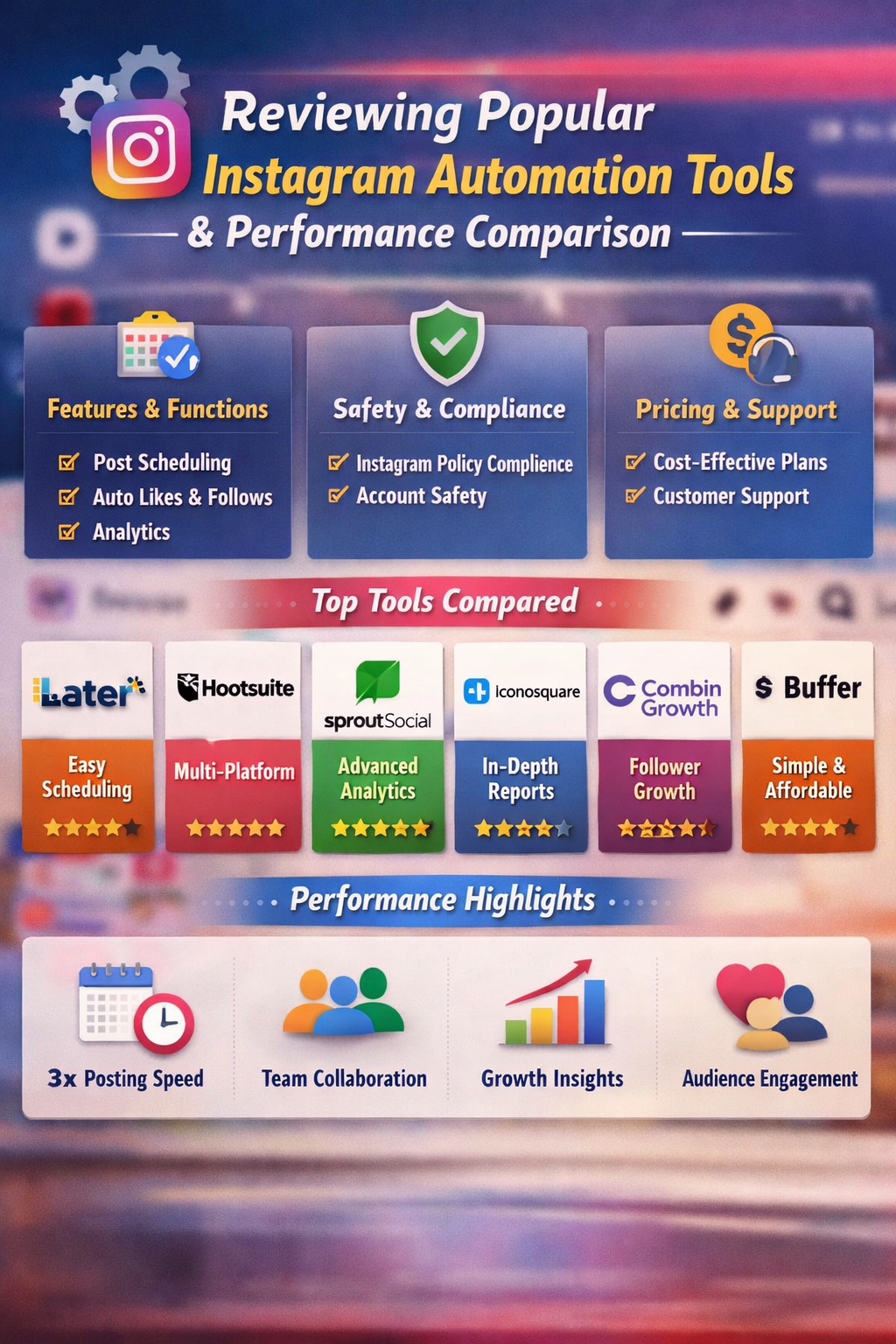
In recent years, Instagram has evolved from a simple photo‑sharing platform into one of the most powerful social media marketing channels available. For businesses, influencers, and digital marketers, maintaining an active and engaging presence on Instagram is no longer optional — it’s essential. However, consistently engaging with followers, posting content at peak times, analyzing performance metrics, and growing followers organically takes substantial time and effort.
This is where Instagram automation tools come into play. These tools help streamline repetitive tasks, improve engagement rates, and optimize posting schedules. But not all tools are created equal. In this article, we’ll review the most popular Instagram automation tools and provide a performance comparison to help you choose the best option for your goals.
What Is Instagram Automation?
Instagram automation refers to the use of third‑party software or tools to automatically perform repetitive tasks such as:
- Scheduling posts and reels
- Auto‑liking, commenting, or following
- Analyzing engagement and growth data
- Managing direct messages (DMs)
- Reposting user‑generated content
While automation can save time and boost efficiency, it must be used carefully. Over‑automation can violate Instagram’s terms of service, leading to account restrictions or bans. Therefore, choosing reputable tools that comply with Instagram’s policies is critical.
Criteria for Evaluating Automation Tools
Before comparing individual tools, here are the key performance indicators we considered in this review:
- Features: What automation functions are available (scheduling, messaging, analytics)?
- Ease of Use: How intuitive is the interface for beginners and professionals?
- Safety & Compliance: Does the tool follow Instagram’s API guidelines?
- Pricing: Is the cost justified by the features offered?
- Customer Support: Availability and quality of help if something goes wrong.
- Performance Reliability: Speed, uptime, accuracy, and results.
Top Instagram Automation Tools Reviewed
Below are the most popular Instagram automation tools widely used in 2025–2026.
1. Later
Overview: Later is one of the most trusted social media scheduling tools, especially for Instagram. Originally known for visual scheduling of posts, Later has expanded into broader marketing automation.
Key Features:
- Visual content calendar
- Auto scheduling for posts, stories, and reels
- Hashtag suggestion tool
- User‑generated content (UGC) management
- Advanced analytics dashboard
Pros:
- Clean, user‑friendly interface
- Strong focus on visual planning
- Excellent analytics and hashtag optimization
- Free plan available
Cons:
- Limited direct messaging automation
- Some advanced features require higher‑tier plans
Best For: Small to medium brands, content planners, visual marketers.
2. Hootsuite
Overview: Hootsuite is a veteran social media management platform that supports multiple channels including Instagram, TikTok, Twitter, and LinkedIn.
Key Features:
- Multi‑platform scheduling
- Auto publishing
- Social listening and keyword tracking
- Team collaboration tools
- CRM integrations
Pros:
- Excellent enterprise‑level support
- Comprehensive analytics across all platforms
- Collaboration and workflow features
Cons:
- A bit expensive for small businesses
- Interface can feel overwhelming for beginners
Best For: Agencies and large teams managing multiple accounts.
3. Sprout Social
Overview: Sprout Social combines social media management with robust analytics and team workflows. It’s often chosen by enterprises.
Key Features:
- Smart scheduling based on engagement data
- Detailed performance reports
- Message inbox for unified DMs and mentions
- Task assignment for teams
- Social listening
Pros:
- In‑depth analytics and reporting
- Excellent customer support
- Powerful team management features
Cons:
- Higher price point
- Limited automation for comments and interactions
Best For: Mid to large companies, professional marketing teams.
4. Iconosquare
Overview: Iconosquare is primarily an analytics tool with some automation features aimed at Instagram and Facebook.
Key Features:
- Follower growth tracking
- Post performance metrics
- Auto scheduling
- Competitor benchmarking
Pros:
- Very strong analytics
- Intuitive data visualizations
- Great for data‑driven strategies
Cons:
- Less focus on direct automation like auto comments
- Limited social listening capabilities
Best For: Marketers focused on analytics and strategy.
5. Combin Growth
Overview: Combin Growth markets itself as a growth‑focused Instagram automation tool, with features geared toward engagement and follower acquisition.
Key Features:
- Targeted audience search
- Auto liking and following
- Hashtag engagement
- Growth analytics
Pros:
- Strong tools for community building
- Advanced filters for audience targeting
- Good for influencer marketing
Cons:
- Risk of over‑automation if misused
- Requires learning to use filters properly
Best For: Individuals and influencers seeking follower growth.
6. Buffer
Overview: Buffer is a reliable, minimalist scheduler that supports Instagram along with other platforms.
Key Features:
- Simple auto scheduling
- Analytics and engagement tools
- Team collaboration
Pros:
- Very easy to use
- Affordable pricing tiers
- Great customer support
Cons:
- Not as powerful as Hootsuite or Sprout
- Limited advanced automation
Best For: Small teams and beginners.
Performance Comparison
To evaluate these tools fairly, we scored them on the criteria introduced earlier — features, ease of use, safety, pricing, support, and performance. Here’s a comparison summary:
| Tool | Features | Ease of Use | Safety & Compliance | Pricing | Support | Overall Score |
| Later | ⭐⭐⭐⭐ | ⭐⭐⭐⭐⭐ | ⭐⭐⭐⭐ | ⭐⭐⭐⭐ | ⭐⭐⭐⭐ | ⭐⭐⭐⭐ |
| Hootsuite | ⭐⭐⭐⭐⭐ | ⭐⭐⭐ | ⭐⭐⭐⭐⭐ | ⭐⭐⭐ | ⭐⭐⭐⭐⭐ | ⭐⭐⭐⭐ |
| Sprout Social | ⭐⭐⭐⭐⭐ | ⭐⭐⭐⭐ | ⭐⭐⭐⭐ | ⭐⭐ | ⭐⭐⭐⭐⭐ | ⭐⭐⭐⭐ |
| Iconosquare | ⭐⭐⭐⭐ | ⭐⭐⭐⭐ | ⭐⭐⭐⭐⭐ | ⭐⭐⭐ | ⭐⭐⭐⭐ | ⭐⭐⭐⭐ |
| Combin Growth | ⭐⭐⭐⭐ | ⭐⭐⭐⭐ | ⭐⭐ | ⭐⭐⭐⭐ | ⭐⭐⭐ | ⭐⭐⭐ |
| Buffer | ⭐⭐⭐ | ⭐⭐⭐⭐ | ⭐⭐⭐⭐ | ⭐⭐⭐⭐ | ⭐⭐⭐⭐ | ⭐⭐⭐⭐ |
Feature Highlights
- Strongest Feature Sets: Hootsuite and Sprout Social offer the most robust professional features, especially for cross‑platform management and team workflows.
- Best for Analytics: Iconosquare excels in reporting, data visualization, and competitor analytics.
- Growth‑Focused Tools: Combin Growth emphasizes community building and engagement automation.
- Best Beginners Tool: Buffer and Later are easiest to use for beginners with straightforward scheduling.
Safety & Instagram Compliance
A key concern with automation tools is account safety. Instagram actively cracks down on bot‑like behavior, including mass follows, likes, or comments performed unnaturally fast. Therefore:
- Tools that only schedule and publish content (like Buffer, Later, and Iconosquare) are generally safer because they operate within Instagram’s official API.
- Tools that perform automated liking, following, and commenting (e.g., Combin Growth) must be used with caution. Improper setup can lead to shadowbans, restrictions, or suspensions.
- Enterprise tools like Hootsuite and Sprout Social are typically compliant with platform policies, but users should always follow recommended usage guidelines.
Safety Tip: Avoid aggressive automation patterns, and always mix automation with genuine, organic engagement.
Which Tool Should You Choose?
Here’s a quick guide depending on your goals:
📌 If your priority is content scheduling and visual planning
- Later is the best all‑around choice for Instagram content calendars and hashtag planning.
📌 If you manage multiple social platforms
- Hootsuite or Sprout Social are better suited for cross‑channel workflows and teams.
📌 If data and analytics matter most
- Iconosquare offers the best insights into performance metrics and competitor tracking.
📌 If you want rapid follower growth
- Combin Growth provides targeted audience interaction tools, but use them carefully.
📌 If you want simplicity and affordability
- Buffer is a solid choice for small businesses and beginner marketers.
Real‑World Performance
Here’s how these tools perform in typical marketing scenarios:
Posting Frequency Boost
Marketers using Later and Buffer can boost posting frequency by up to 3x because scheduling replaces manual posting. This leads to better visibility and higher engagement over time.
Team Collaboration
Teams working across departments benefit the most from Hootsuite and Sprout Social due to built‑in task assignment, comment moderation tools, and approval workflows.
Audience Growth
Tools that help automate likes and follows, such as Combin Growth, can increase follower counts, but the quality of those followers varies. Organic engagement from real interactions generally produces more loyal audiences.
Analytics Advantage
Deep analytics platforms like Iconosquare show detailed trends, peak engagement hours, and content performance breakdowns — essential for optimizing strategy.
Final Thoughts
Instagram automation tools can significantly enhance marketing productivity, audience engagement, and content strategy — but they are not magic solutions. The best results come when automation is balanced with authentic interaction.
Before choosing a tool, consider:
- Your goals (growth, analytics, scheduling)
- Your team’s experience
- Your budget
- Instagram’s policy compliance
With the right automation strategy, you can save time, refine your approach, and unlock measurable growth on Instagram in 2026 and beyond.